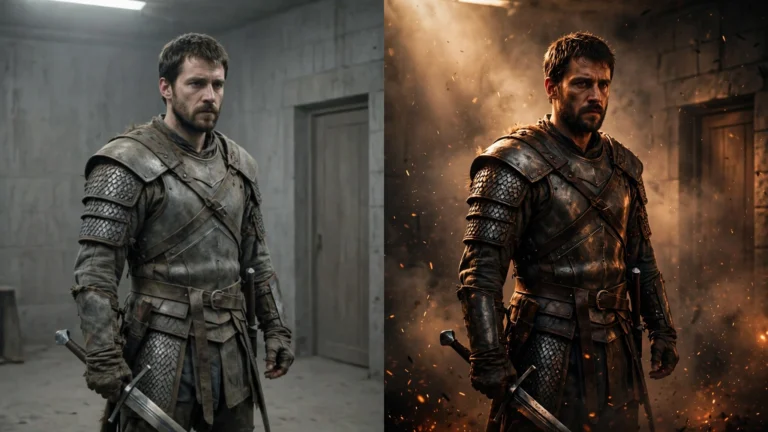


There are a dozen AI video generators right now, and every single one claims to be the best. It’s noise. So here’s the signal: what the main tools actually do, what they cost, and which one you should pick — based on the specs, the pricing, and what working filmmakers report. Not marketing pages.
One honest note first: I haven’t personally rendered films on all ten of these. I made THE LAST FLAME on one workflow and dug deep into the rest. Prices below are as of September 2026 — they change fast, so check before you pay.
What actually matters (ignore the rest)
Four things decide whether a tool works for filmmaking:
- Clip length. Most tools make 5–15 second clips. Longer is better — fewer seams to hide.
- Consistency. Can it keep the same character looking the same across clips? Most struggle; some have reference features that help.
- Price per minute. You’ll throw away half your generations. Cheap credits matter more than fancy features.
- Ease. If the interface fights you, you won’t finish anything.
Everything else — 4K, HDR, “cinematic AI” badges — is secondary until these four are covered.

The 10 tools, honestly compared
1. Runway (Gen-4.5) — the all-rounder
The most mature platform. Good generation, plus a real editing suite built in, and the best character-consistency tooling of the bunch. Clips up to 16 seconds, 4K upscaling on paid plans. Starts at $15/month ($12 on annual), with 125 free credits to try it. If you want one subscription that covers generation and editing, this is it.
2. Google Veo 3.1 — the realism king
The most realistic-looking footage, and the standout feature: native audio with actual lip-sync. That’s the one thing every other tool fumbles. Access comes through Google’s AI plans (Pro at $19.99/month), clips are short — around 8 seconds. Pick this if dialogue and talking scenes matter to you.
3. Kling 3.0 — the cheapest way in
The budget champion: plans start at $6.99/month, and the free tier hands out 66 credits a day — enough to actually make things without paying. Clips run 3–15 seconds, and its extension feature can stretch sequences toward minutes. If money is tight, start here.
4. Pika 2.5 — the beginner’s pick
Simple, fast, friendly. The interface doesn’t scare anyone, generations come back quickly, and plans start at $8/month with a free tier. Ten-second clips, good quality, zero learning curve. If you bounced off the more complex tools, try this one.
5. Luma (Ray 3) — the camera nerd’s tool
Beautiful, natural camera motion — the kind of slow push-ins and drifts that make footage feel expensive. Also does genuine HDR output. The catch: plans start at $30/month (the free plan is tiny — a few watermarked drafts a month, not enough to make anything real). Worth it if camera language is your thing.
6. Hailuo (MiniMax) — the cheap workhorse
Some of the cheapest 1080p generation per second you’ll find, with strong motion and physics. Less famous in the West, but filmmakers on a budget swear by it. Good second tool when your main subscription’s credits run dry mid-project.
7. Seedance 2.5 (ByteDance) — the newcomer
ByteDance’s entry, and it’s a strong one: multi-shot sequences from a single generation, which is exactly what filmmakers want — fewer seams. Now at version 2.5, and still moving fast — pricing and access are shifting. One to watch, and to test while it’s fresh.
8. HeyGen — for talking heads, not films
Different job: AI avatars and talking-head videos. Great for explainer-style content, useless for a fantasy short. Including it so you don’t buy the wrong tool for filmmaking.
9. InVideo — for narrated videos, not films
Another different job: it assembles full narrated videos (think YouTube explainers) rather than generating cinematic clips. Fine for content, not for short films.
10. CapCut — the free editor with AI extras
Not really a generator — it’s the free editor you’ll cut everything in, with some AI tools bolted on (20 free uses a day on many of them). You need it regardless of which generator you pick.
What about Sora?
Skip this one. OpenAI shut Sora down — the app went dark in April 2026, and the Sora 2 API was pulled on September 24, 2026, with no replacement announced. You’ll still see it on ‘best AI video’ lists out of habit. Don’t build a workflow around a dead tool.
The honest verdicts
- Tight budget, just starting: Kling. The daily free credits mean you can make a real short film for $0.
- One subscription, serious hobbyist: Runway. Generation plus editing plus the best consistency tools.
- Dialogue and talking scenes: Veo 3.1. Native lip-sync is the killer feature nobody else has.
- You hate complicated software: Pika. You’ll be generating in minutes.
- Camera movement matters most: Luma. Nothing else moves the camera like it.

My take
Here’s what I’d actually do: start free on Kling, make your first one-minute film, and only pay for something when you’ve hit a wall the free tier can’t climb. The tool is maybe 20% of the result. The other 80% is the idea, the shot list, the cutting, and the sound — the parts no subscription can do for you.
I made two episodes of a fantasy series this way and an editing timeline. The generator got the credit; the filmmaking did the work. Here’s the proof.
Next up: the beginner’s guide if you haven’t read it, and soon, a deep dive on the problem every one of these tools shares — keeping your characters looking like themselves.